Reports
Project: Lenci Test 7/3/2026
Description
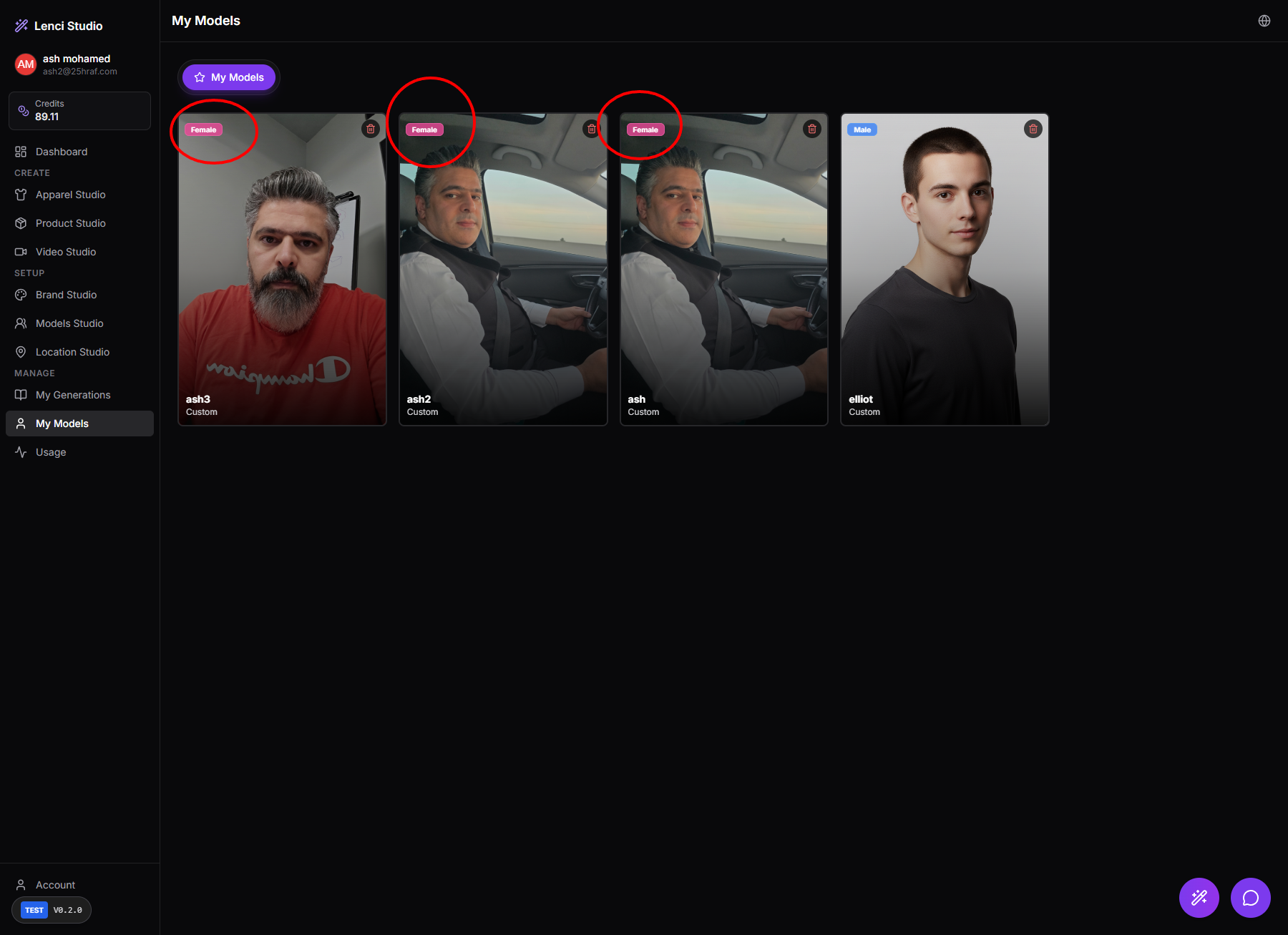
Issue description In My Models, models created through Models Studio → Real Photo Model are automatically labeled as Female, even when the uploaded photos clearly represent a male subject. In the shown case: The generated model cards display the “Female” tag. The photos clearly depict a male person. This misclassification appears consistently across multiple models created from the same user. This indicates that the system’s gender classification logic is incorrect or defaulting to a fixed value, causing inaccurate metadata tagging. Such incorrect labeling can affect: Filtering and categorization in My Models. Prompt conditioning for generation pipelines. Downstream styling or clothing recommendations that depend on gender metadata. Expected behavior The gender label assigned to a model should accurately reflect the uploaded photos. If the system performs automatic gender detection, it should classify the model correctly based on facial/body features. If the system cannot determine gender reliably, it should either: Leave the field unset, or Allow the user to manually choose the gender during model creation. Acceptance criteria Models generated from Real Photo Model do not default to Female. Gender metadata reflects the actual subject in the uploaded images. Automatic gender detection (if used) correctly identifies obvious male/female cases. If detection confidence is low: The system prompts the user to select Male / Female / Neutral. The gender label shown on the model card matches the stored metadata. Filtering by Male or Female in model lists returns only correctly classified models.
Screenshots & Video
Description
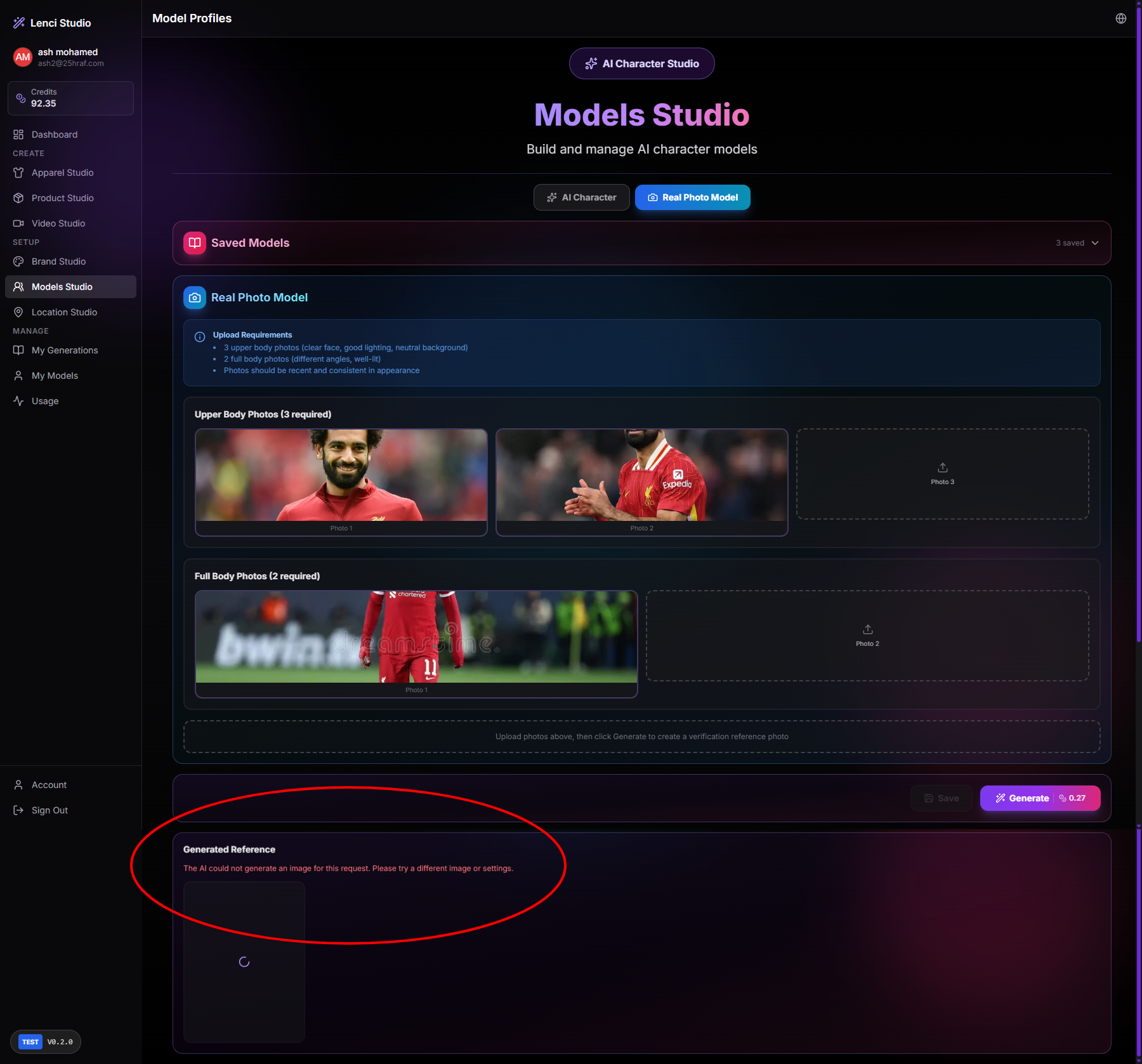
Issue description The system allows uploading .webp images in Models Studio → Real Photo Model, but the AI generation process later fails with the error: “The AI could not generate an image for this request. Please try a different image or settings.” This indicates that .webp files are accepted during upload but are not supported by the generation pipeline, resulting in a failure only after the user attempts to generate the reference image. This creates a poor user experience because: The upload appears successful. The validation failure occurs only during generation. Users receive a vague AI error instead of a clear file format validation message. Expected behavior The system should validate file formats during upload, not during generation. If .webp is unsupported, the upload should be rejected immediately with a clear error message. Only supported formats (e.g., JPG, JPEG, PNG) should be accepted for model training inputs. Acceptance criteria When a user attempts to upload a .webp image: The system blocks the upload immediately. A clear validation message appears (e.g., “Unsupported file format. Please upload JPG or PNG images.”). Unsupported files are never accepted into the upload slots. Generation cannot be triggered if any uploaded image has an unsupported format. If .webp support is later added, the system processes it correctly without causing generation failures. The upload component and backend validation enforce the same allowed file formats.
Console Output
main-p5HJAGcv.js:1108  POST https://test-lenci.siyadatech.studio/api/ai/generate 500 (Internal Server Error)
Rt @ main-p5HJAGcv.js:1108
await in Rt
(anonymous) @ main-p5HJAGcv.js:1280
await in (anonymous)
generatePhotoshootImage @ main-p5HJAGcv.js:1257
(anonymous) @ main-p5HJAGcv.js:2308
await in (anonymous)
Of @ LanguageContext-D6i996QC.js:48
(anonymous) @ LanguageContext-D6i996QC.js:48
Mu @ LanguageContext-D6i996QC.js:48
dc @ LanguageContext-D6i996QC.js:48
Tc @ LanguageContext-D6i996QC.js:49
sv @ LanguageContext-D6i996QC.js:49
Screenshots & Video
Description
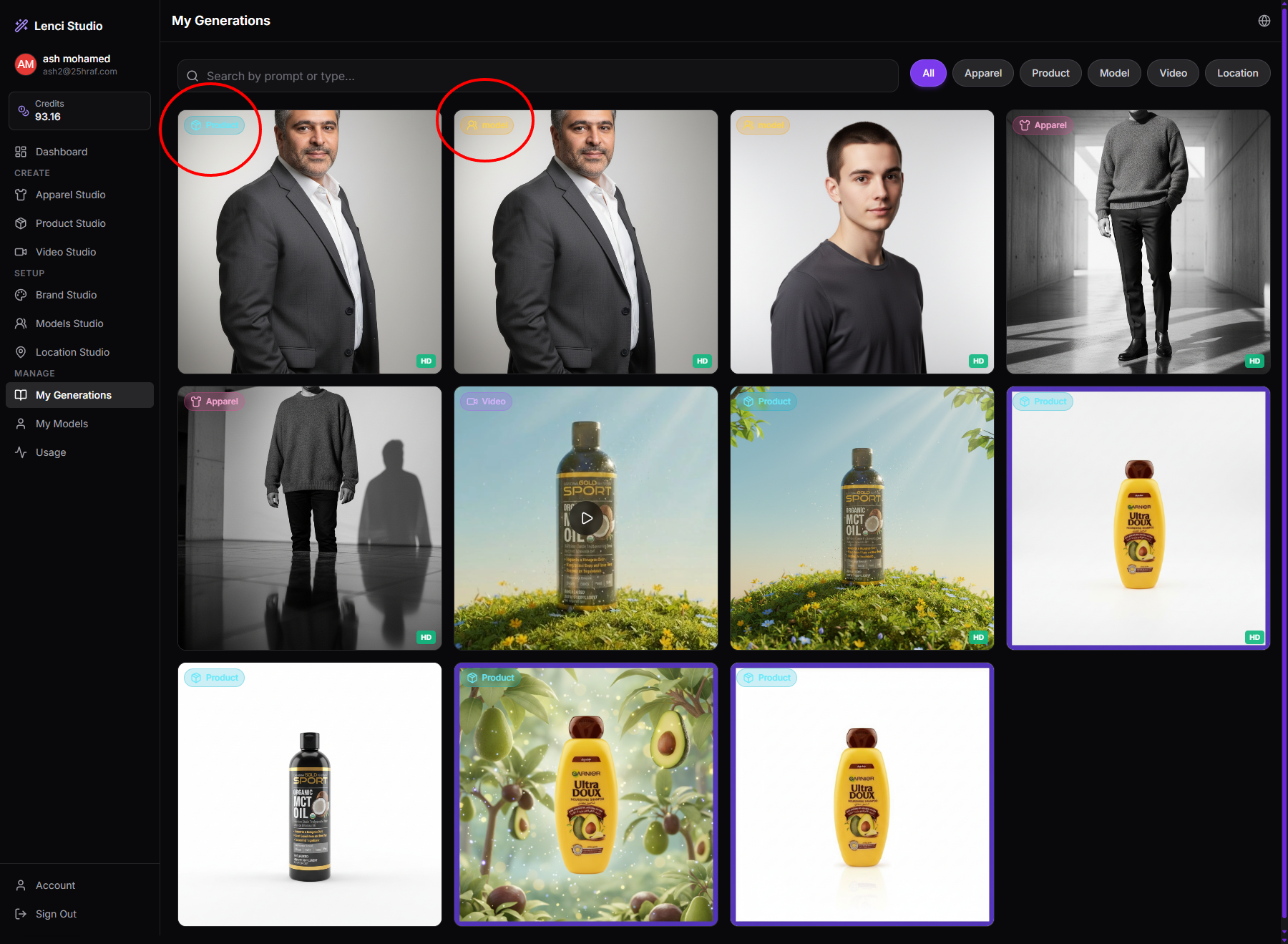
Issue description Images generated in Model Studio → Real Photo Model are being saved twice in My Generations with incorrect categorization. Specifically: The same generated image appears two times. One instance is labeled Model (correct). Another instance is incorrectly labeled Product. This indicates that the generation result is being stored or indexed in multiple categories, causing duplicate entries and incorrect classification in the generation gallery. Expected behavior Images generated from Model Studio should be saved only once. The saved item should be categorized correctly as Model. No duplicate entries should appear in My Generations. Each generation should belong to one correct studio type only. Acceptance criteria A generation created from Model Studio appears only once in the gallery. The generation is tagged correctly as Model. No duplicate entries are created with other tags such as Product, Apparel, or Video. Filtering by Model shows the item. Filtering by Product does not show the same item. The system prevents duplicate database records for the same generation output.
Console Output
apparel:1 Uncaught (in promise) Error: A listener indicated an asynchronous response by returning true, but the message channel closed before a response was received
apparel:1 Uncaught (in promise) Error: A listener indicated an asynchronous response by returning true, but the message channel closed before a response was received
/library:1 Uncaught (in promise) Error: A listener indicated an asynchronous response by returning true, but the message channel closed before a response was received
Screenshots & Video
Description
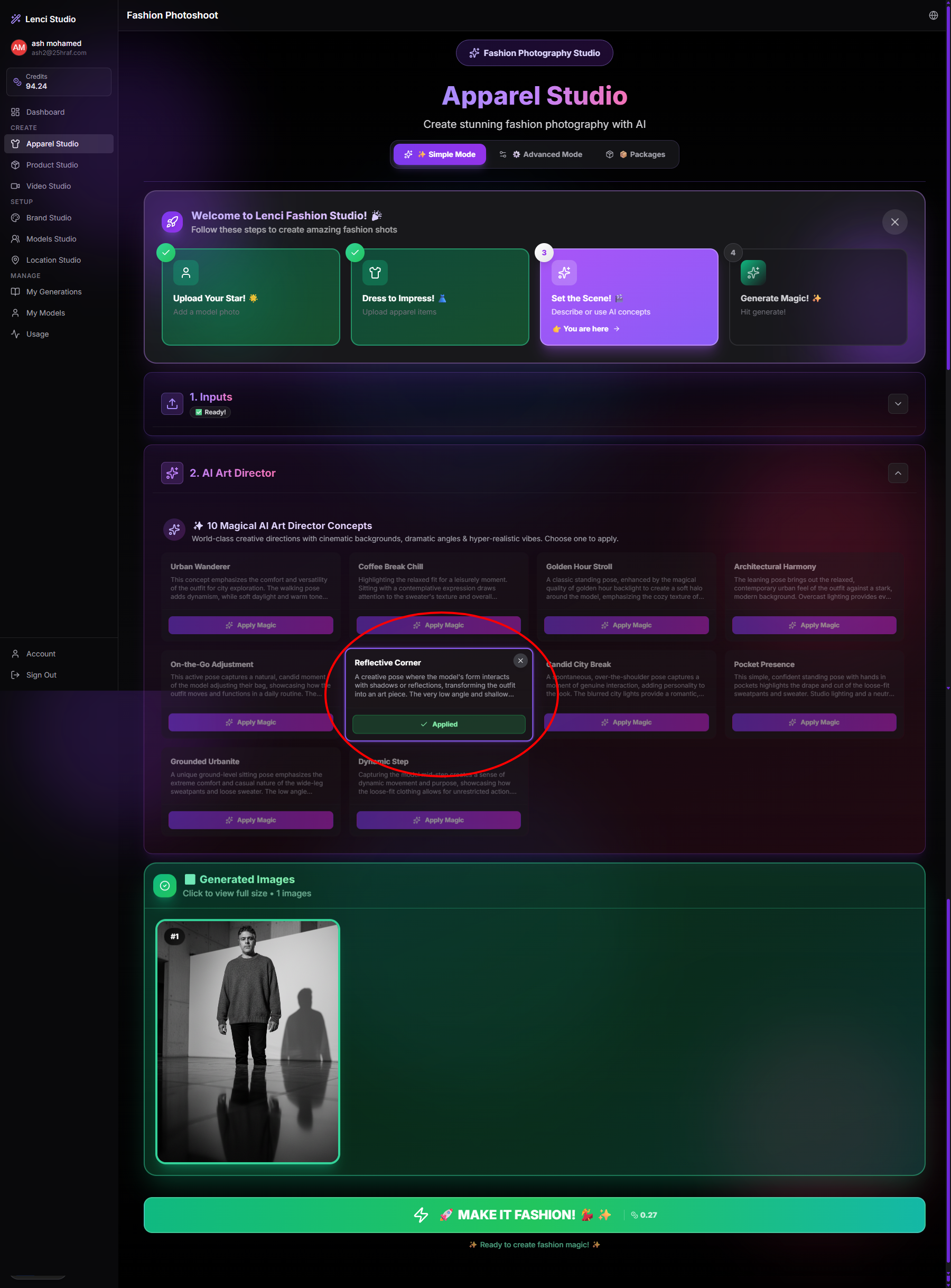
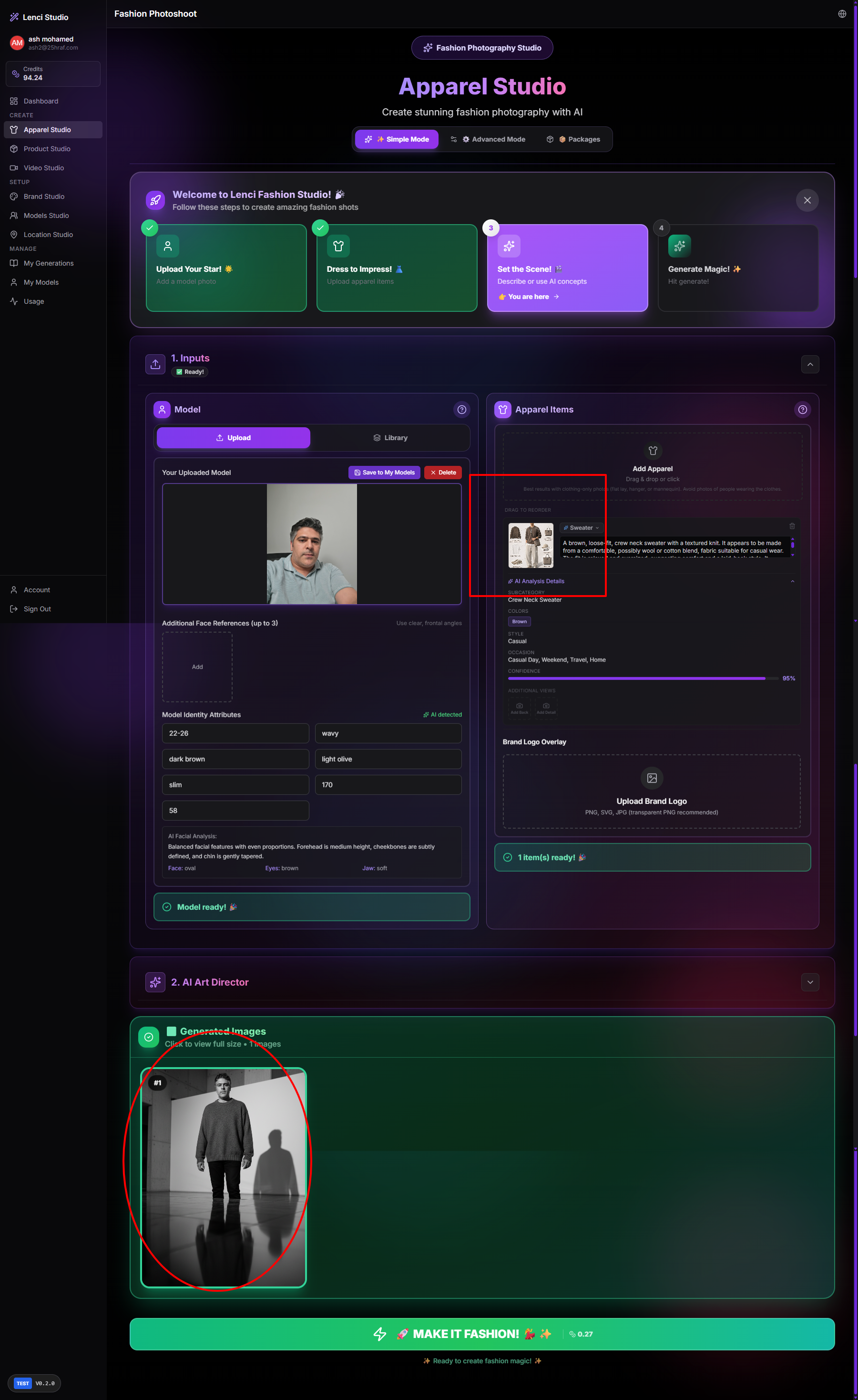
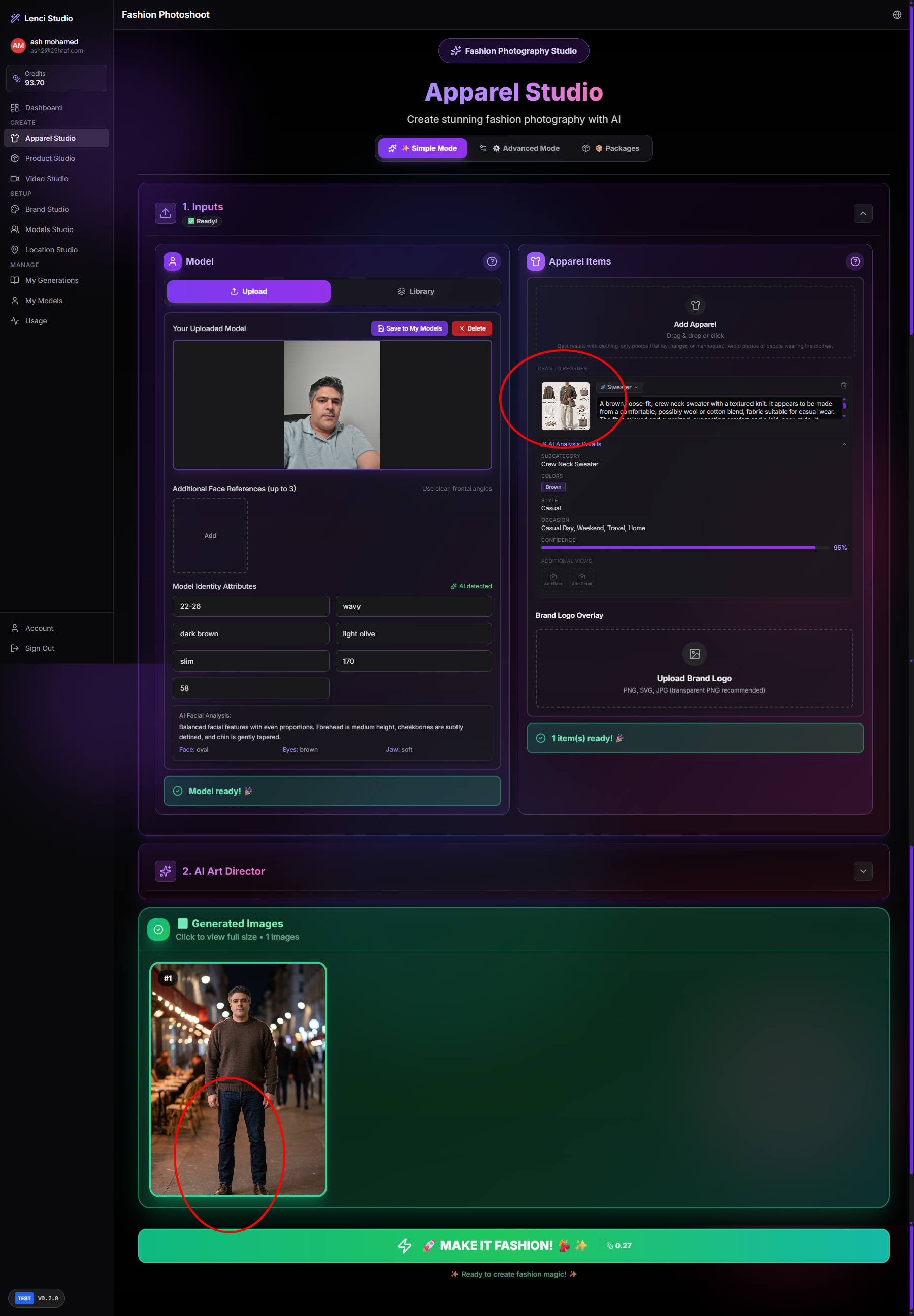
Issue description The Apparel Studio generation pipeline produces results that are visually poor or not aligned with the provided inputs, even though the workflow steps complete successfully. In the shown case: The model photo and apparel item are uploaded correctly. The apparel item preview clearly shows a specific sweater style and color. However, the generated image: Appears low quality or stylistically inconsistent. Does not clearly reproduce the exact apparel design. Looks generic and detached from the uploaded garment reference. Sometimes generates outputs that are not logically consistent with the provided apparel item. This indicates a mismatch between input conditioning and generation output, leading to unreliable results. Expected behavior The generated image should closely follow: The uploaded model identity. The exact apparel item characteristics (color, shape, texture, category). The system should produce visually high-quality fashion photography outputs consistent with the studio’s intended purpose. The clothing item shown in the result should clearly match the uploaded garment reference. The result should look like a professional fashion shoot, not a generic AI image. Acceptance criteria Generated images visibly match the uploaded apparel item in: Clothing type Color General structure/design The model identity is preserved from the uploaded model photo. The generated image does not introduce unrelated clothing styles or random garments. The final output quality is consistent with fashion photography standards. Multiple generations with the same inputs produce consistent and relevant outputs, not random or unrelated results. The system reliably respects the apparel reference as a conditioning input, not merely as loose inspiration.
Screenshots & Video