Report #58
Project: RFP 3/5/2026
2026-05-03 11:24:34
Description
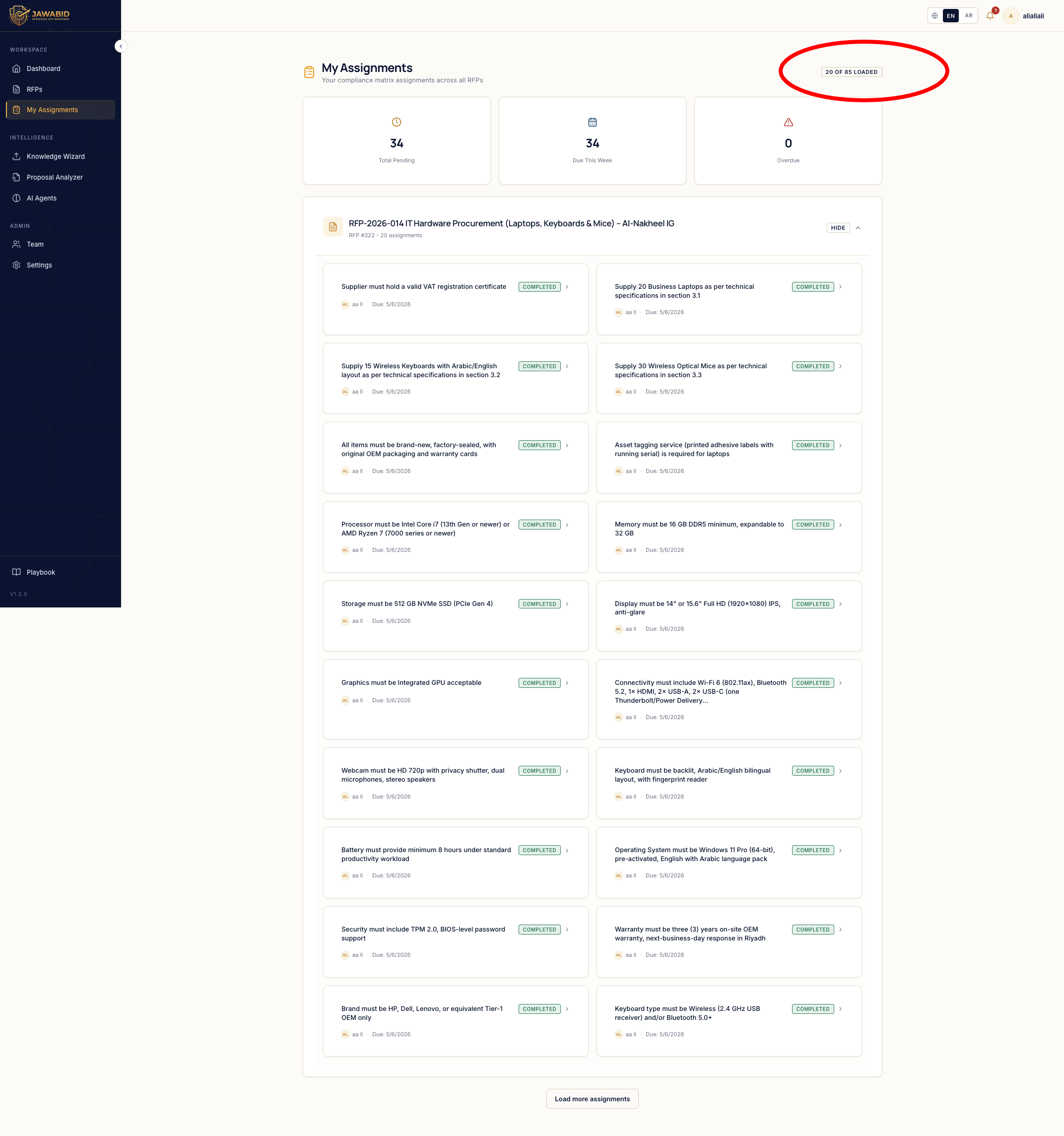
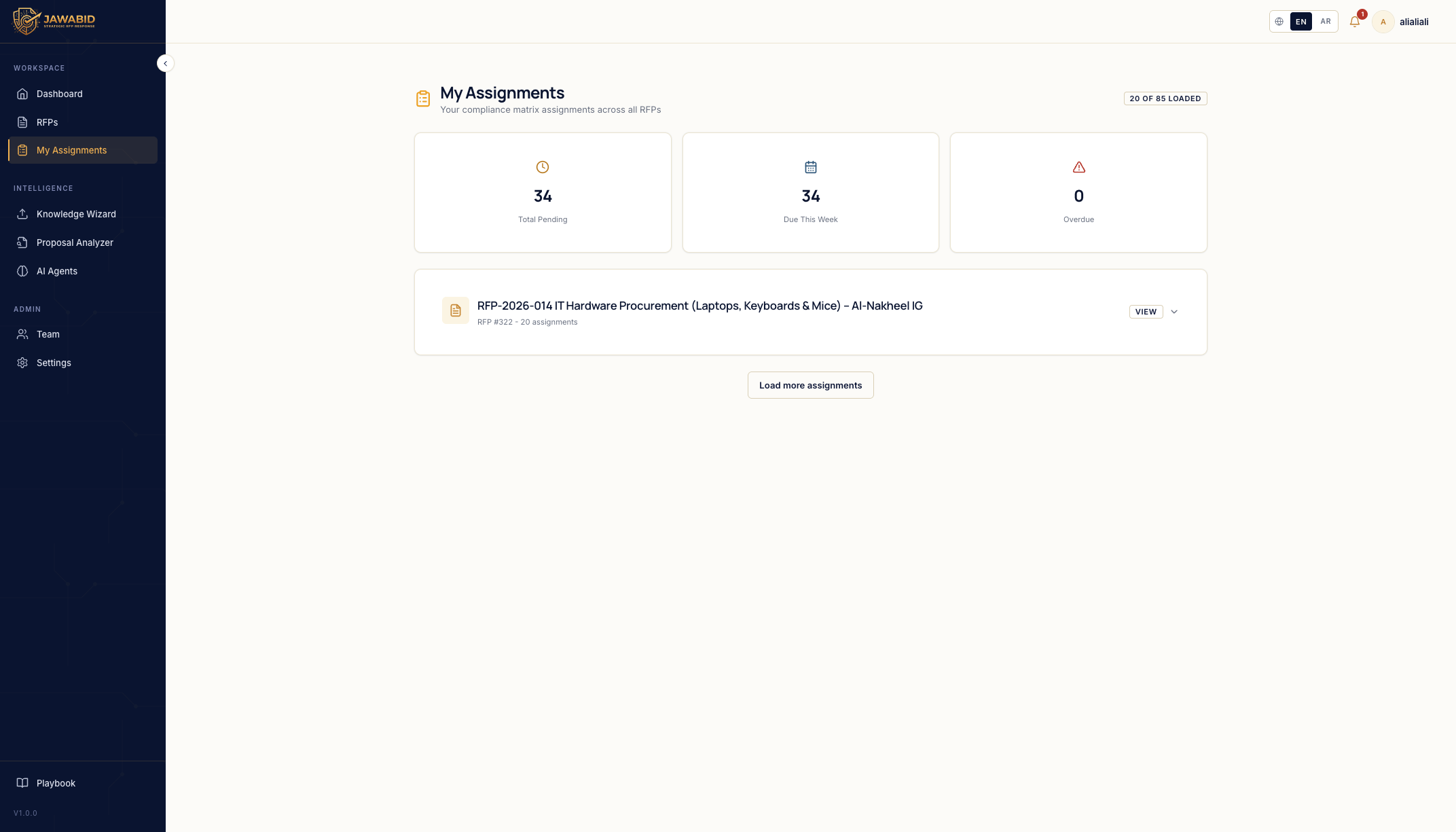
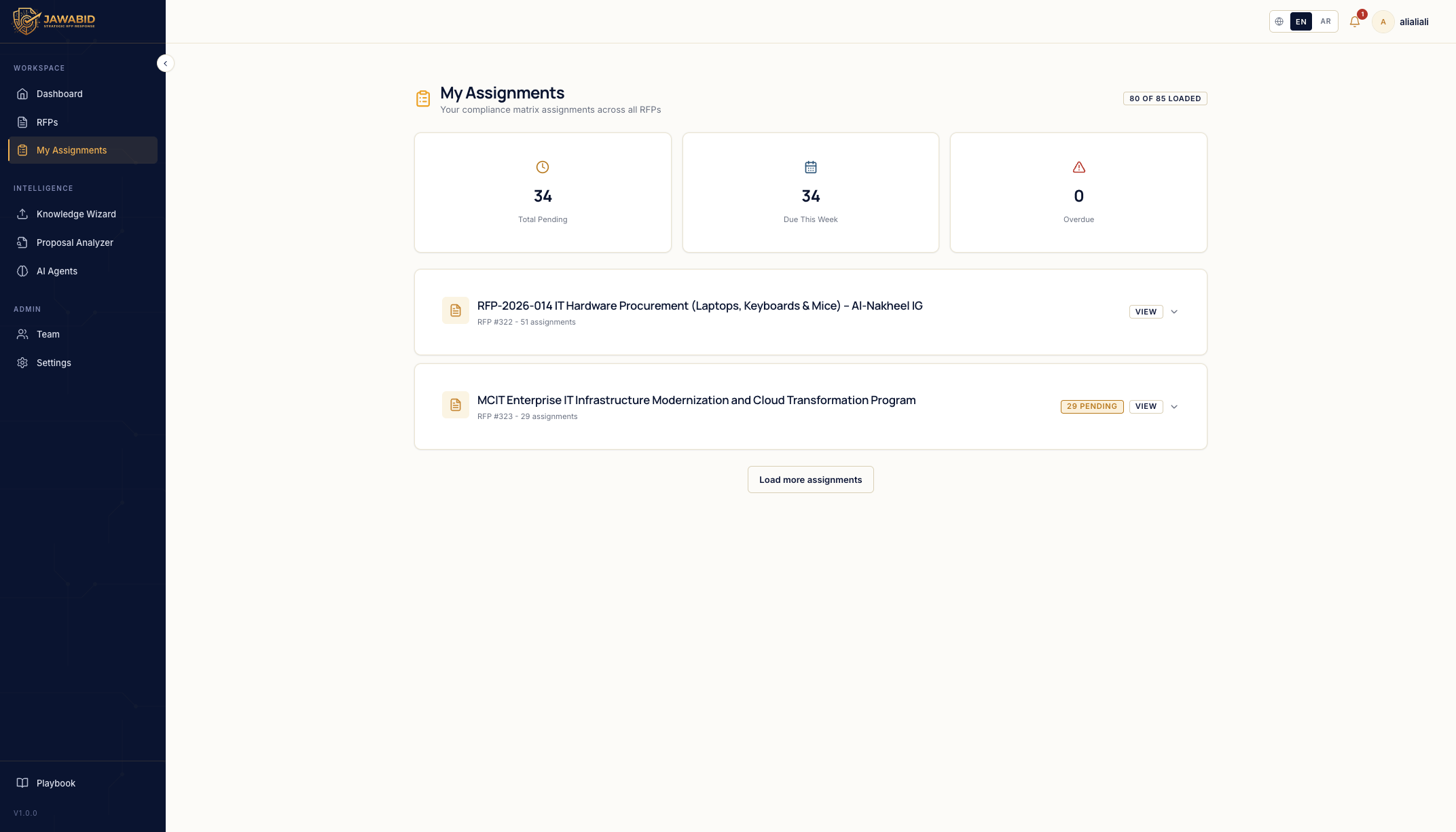
Issue: Assignment pagination counter is global and hides other RFPs Description On the My Assignments page, the loading counter appears to count assignments globally across the whole system instead of grouping/loading them by RFP. Because of this, when there are assignments from multiple RFPs, the user has to keep clicking Load more assignments and load all assignments from the first RFP before the second RFP becomes visible. Page/Screen My Assignments Actual Result The page shows a global counter such as: 20 of 85 loaded The first RFP dominates the loaded results. The second RFP does not appear until enough assignments from the first RFP are loaded. Expected Result The page should load and display RFP groups first, then allow assignments to be expanded or loaded inside each RFP separately. Suggested Behavior * Show all RFP groups available to the user from the beginning. * Each RFP card should show its own assignment count, for example: * 20 assignments * 51 assignments * 29 assignments * Pagination/loading should happen inside each RFP group, not globally across all assignments. * The global counter should either be removed or changed to reflect RFP groups loaded, not individual questions/assignments. * Clicking Load more assignments should not be required just to discover another RFP. Recommended UX Load the RFP list first, then use per-RFP expand/view actions to load the assignments for that specific RFP only. This makes it clear that assignments are organized by RFP and prevents one large RFP from hiding the others.
Screenshots & Video