Reports
Project: Lensi enhancement V1 R2
Description
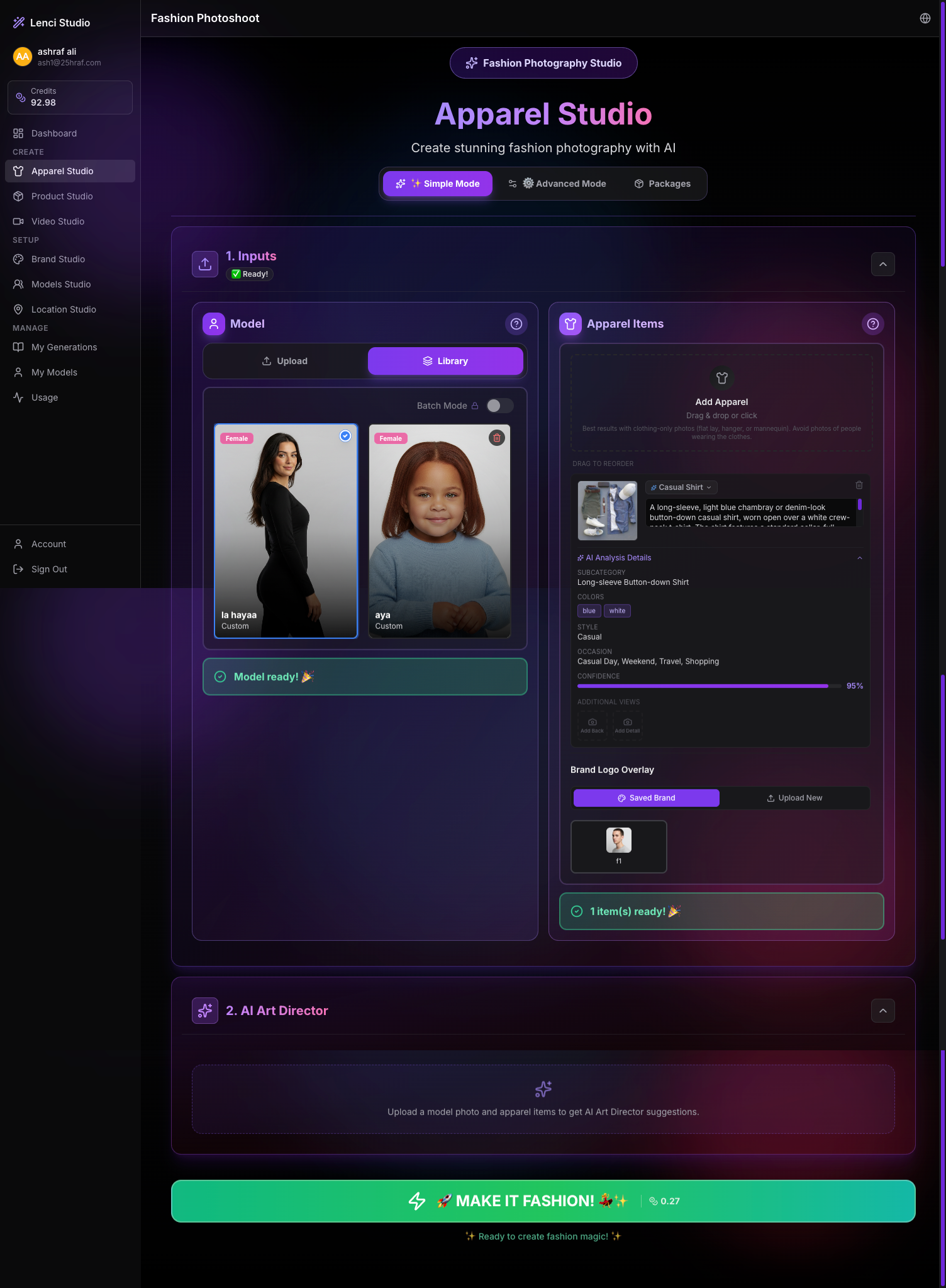
Issue description In Apparel Studio, after generating an image and then refreshing the page, the previously selected model and uploaded apparel item remain preloaded in the Inputs section. Because the studio workflow is designed to start with a fresh session for each generation, retaining previous inputs after a page refresh disrupts the expected flow. Users may unintentionally generate new images using the previous model and apparel, which can lead to incorrect outputs and confusion. This behavior also creates state inconsistency between sessions and may cause users to believe the system is starting a new workflow while it is actually reusing previous inputs. Expected behavior Refreshing the page should reset the studio state and clear all temporary session inputs. When the user reloads the page: • The Model selection should return to the empty state. • The Apparel Items section should be cleared. • The workflow should start as a new generation session. Previously used assets should only remain accessible through Library, My Models, or My Generations, not as preselected inputs. Acceptance criteria • Refreshing the Apparel Studio page clears: • Selected model • Uploaded apparel items • AI analysis data associated with those items • The Inputs section returns to the default empty state. • The “Ready” indicators reset accordingly. • The user must explicitly select a model and upload apparel again before generating. • Previously uploaded assets remain available only through library selection, not automatically preloaded. • Each generation session starts with a clean workflow state after refresh.
Screenshots & Video