Reports
Project: Lenci pre prod
Description
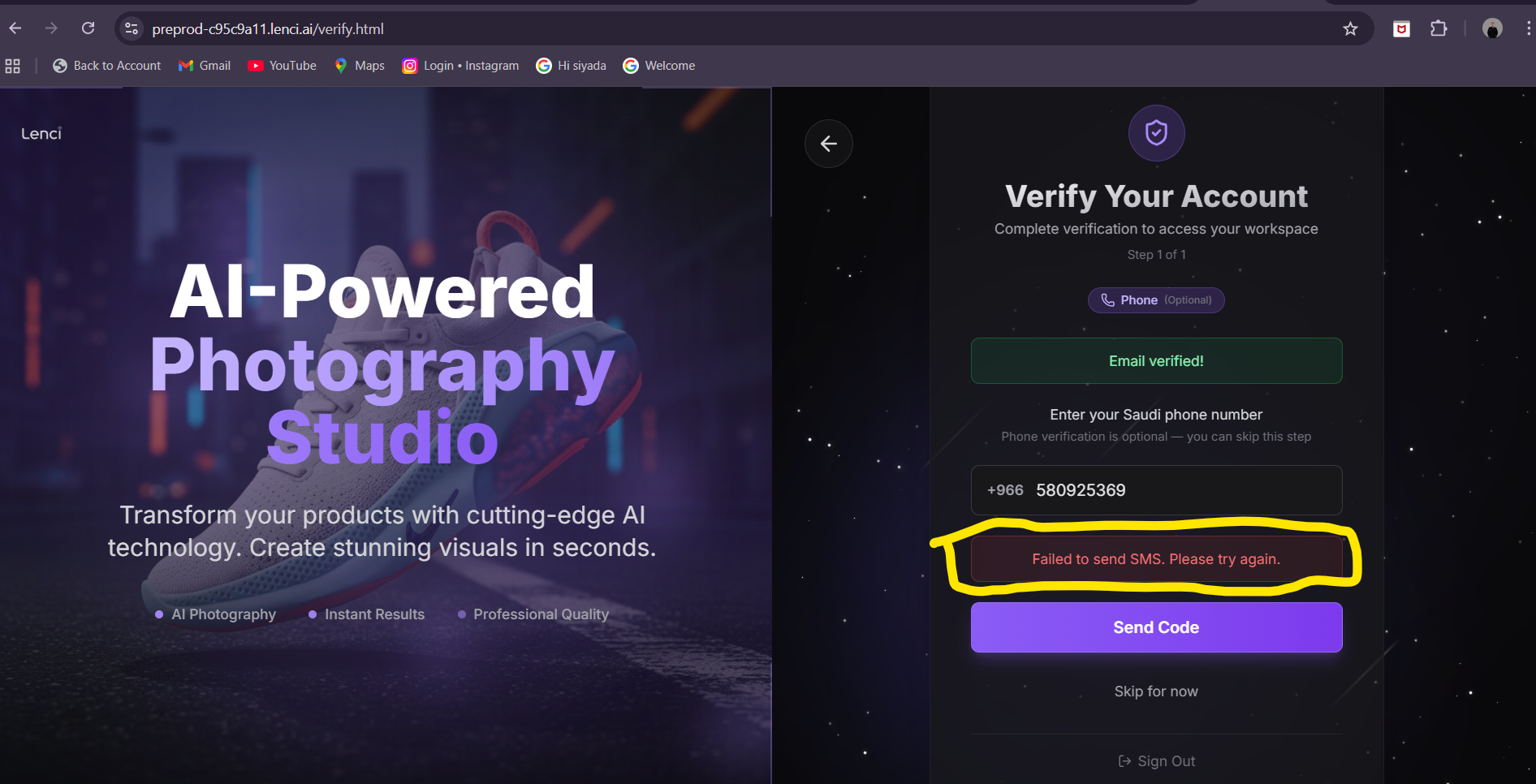
Sms is not sending
Console Output
api/verify/send-phone-otp:1  Failed to load resource: the server responded with a status of 500 ()Understand this error
api/verify/send-phone-otp:1  Failed to load resource: the server responded with a status of 500 ()
Screenshots & Video
Description
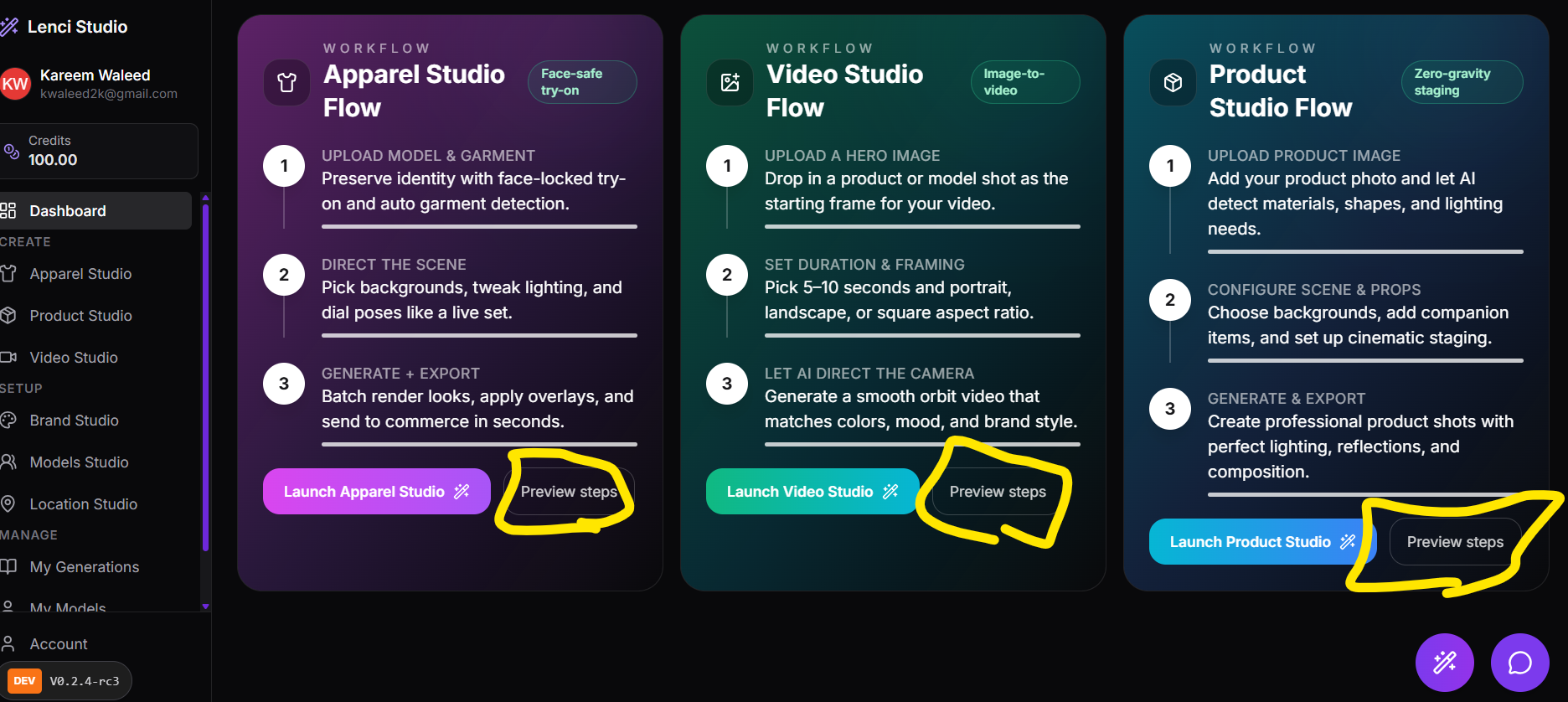
Non-functional ‘Preview Steps’ in Dashboard • Affected URLs: https://preprod-c95c9a11.lenci.ai/dashboard.html and https://lenci.siyadatech.studio/dashboard.html and https://dev-lenci.siyadatech.studio/dashboard • Description: In the final section of the Dashboard, which outlines a step-by-step guide for the three main studios, clicking the ‘preview steps’ button or link yields no action. There is no redirection, pop-up, or any other functional response, indicating a broken or unimplemented feature. • Comparison: This issue is present on both the Preprod and Production environments and dev
Screenshots & Video
Description
Agency Name and Website Not Saving • Affected URLs: https://preprod-c95c9a11.lenci.ai/account and https://lenci.siyadatech.studio/account and https://dev-lenci.siyadatech.studio/Account • Description: When users navigate to their account settings page and attempt to edit and save their agency name and website information, these changes are not persistently stored. Upon refreshing the page or navigating away and returning, the previously entered information disappears, indicating a failure in the data saving mechanism. • Comparison: This issue is present on both the Preprod and Production environments.
Description
Confusing ‘Usage by Event Type’ Display • Affected URLs: https://preprod-c95c9a11.lenci.ai/usage and https://lenci.siyadatech.studio/usage and https://dev-lenci.siyadatech.studio/usage • Description: The ‘Usage by event type’ section presents an overly complex and granular breakdown of credit usage, including items like ‘text generate’ and ‘image processing’. This level of detail is confusing for users who primarily interact with the six distinct studios. The user expects a simplified view that shows credit deductions specifically per studio. Additionally, the ‘no of credits used’ displayed in this section appears to be inconsistent with the user’s actual credit balance, leading to further confusion. • Comparison: This issue is present on both the Preprod and Production environments.
Issue URL
https://preprod-c95c9a11.lenci.ai/studio/apparel and https://lenci.siyadatech.studio/studio/apparelDescription
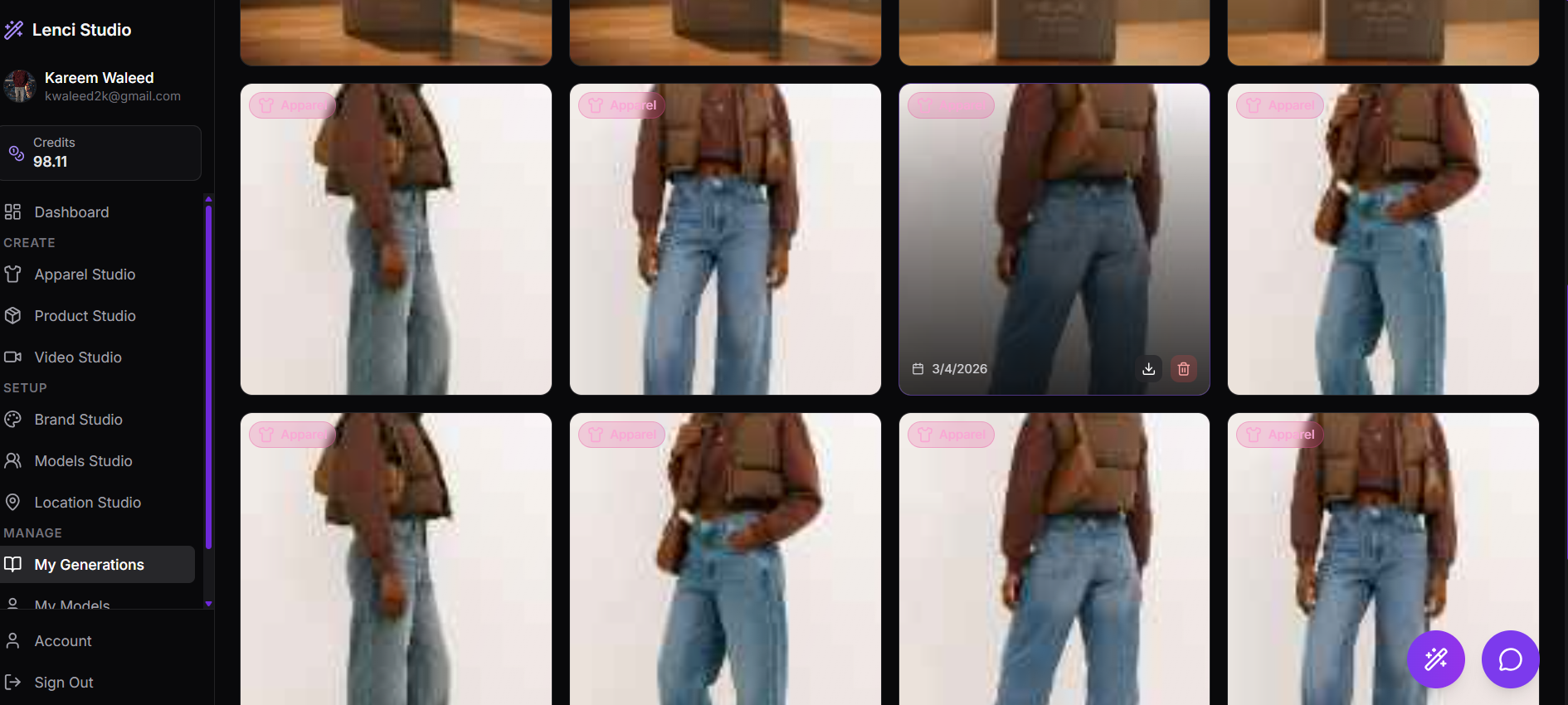
Duplicated Saved Generations • Affected URLs: https://preprod-c95c9a11.lenci.ai/generations and https://lenci.siyadatech.studio/generations (or equivalent user generation history page ) • Description: After utilizing the Product Studio, users are encountering duplicated saved generations on their personal ‘Generation’ page. This duplication leads to clutter, makes it difficult to manage generated content, and suggests an issue with how generations are saved or displayed. • Comparison: This issue is present on both the Preprod and Production environments.
Screenshots & Video
Description
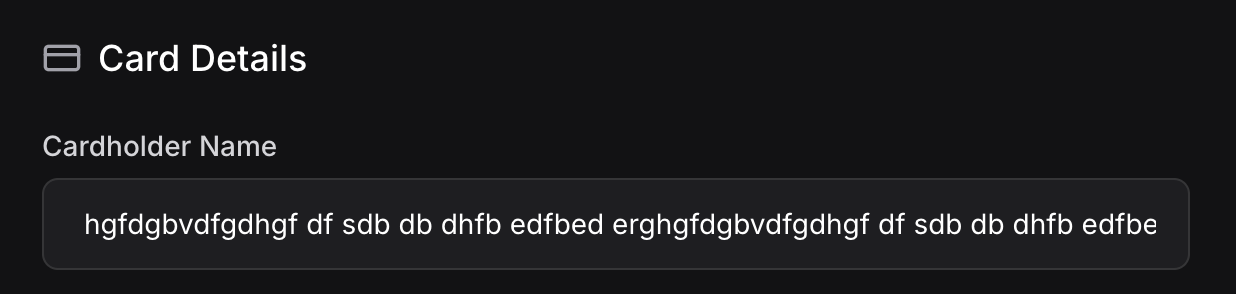
No field character limit, I can put as many characters as I want in the cardholder name text field
Screenshots & Video
Issue URL
https://lenci.siyadatech.studio/studio/apparel and https://lenci.siyadatech.studio/studio/productDescription
It's showing 2 icons for each option, should stick with one icon for each option.
Screenshots & Video

Description
This card should be removed and hidden after the first generation, now it shows even after multiple generations.
Screenshots & Video

Issue URL
https://lenci.siyadatech.studio/usageDescription
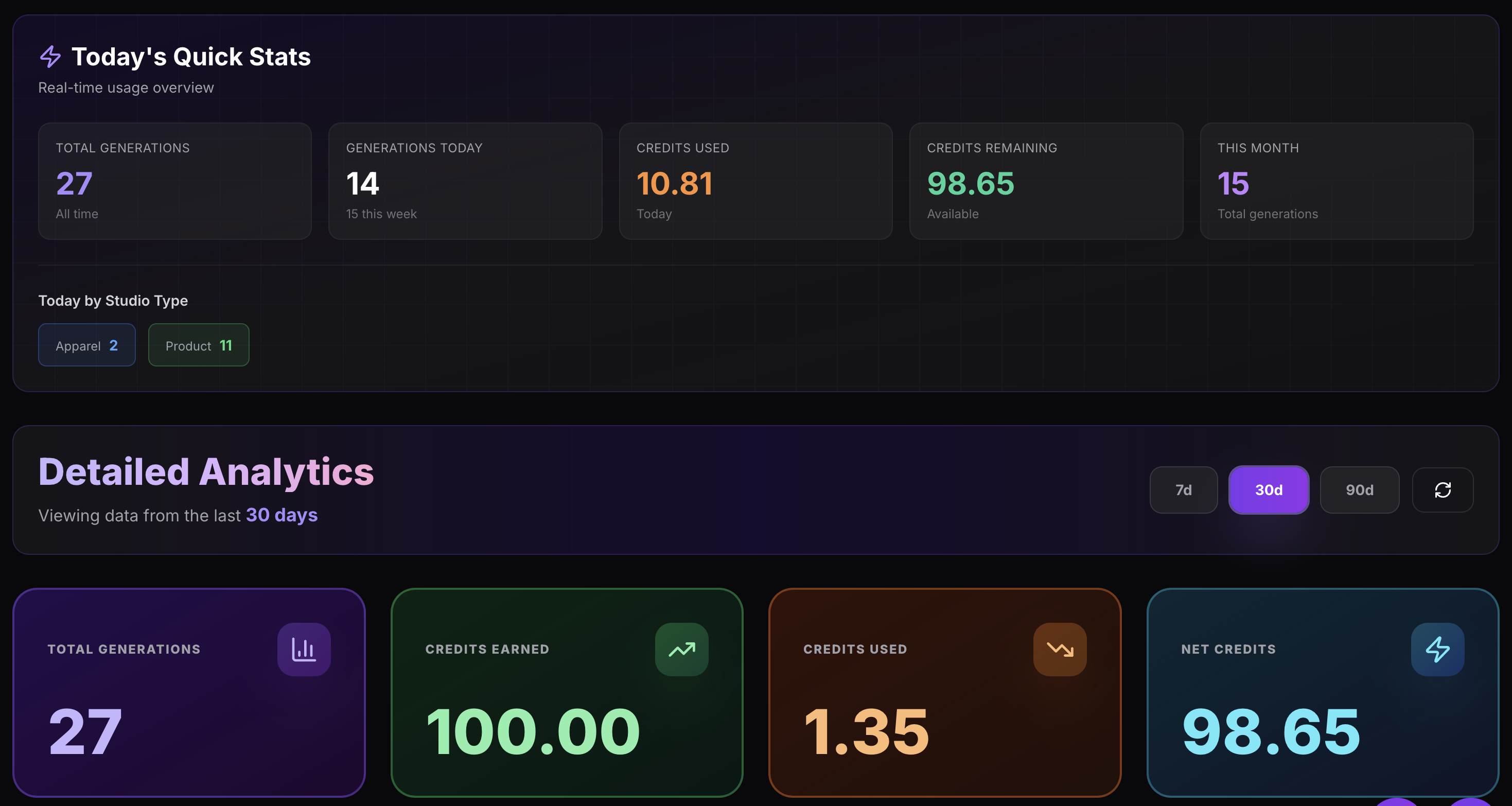
After creating the account, I granted 100 initial credits, but in the usage, it's showing that before the initial credits, I had 11.81 credits already in my account, before the initial grant the user should have 0 credits on his account, this issue is on all three enviroments (dev, demo, preproduction).
Screenshots & Video

Issue URL
https://lenci.siyadatech.studio/usageDescription
Generations stats numbers are not accurate on all three instances (dev, demo, preproduction). All generations were done today, but it's showing different numbers for today, this week, and this month stats. Also, I didn't generate 27 image.
Screenshots & Video
Issue URL
https://lenci.siyadatech.studio/libraryDescription
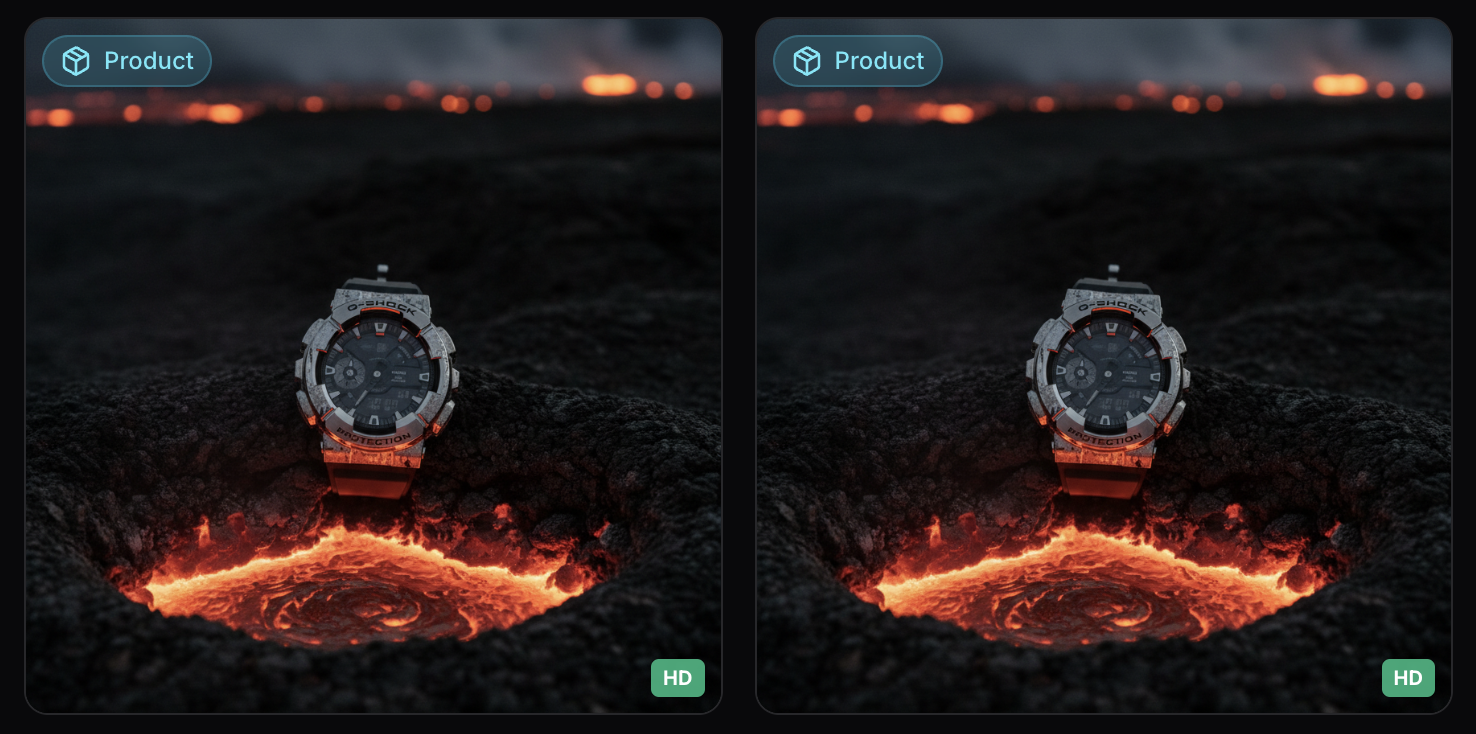
Generated images are being duplicated on all three enviroments (dev, demo, preproduction) in the library page
Screenshots & Video
Description
The Brand Studio's color analysis feature — which detects colors from an uploaded logo and suggests Primary, Secondary, Accent, and Neutral colors (as shown in the screenshot) — is not working on the dev and preproduction environments. The feature works on demo but fails silently on dev/preprod.
Screenshots & Video

Description
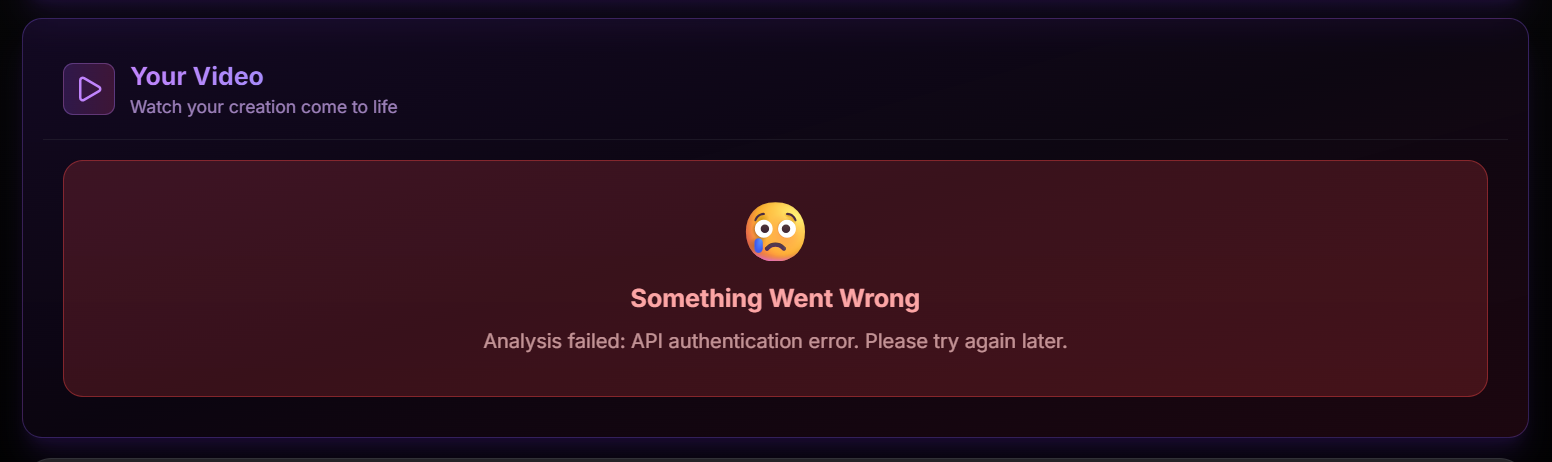
On the demo environment only, after successfully uploading an image in the Video Studio, the "Your Video" section displays a "Something Went Wrong" error with the message: "Analysis failed: API authentication error. Please try again later."
Screenshots & Video
Description
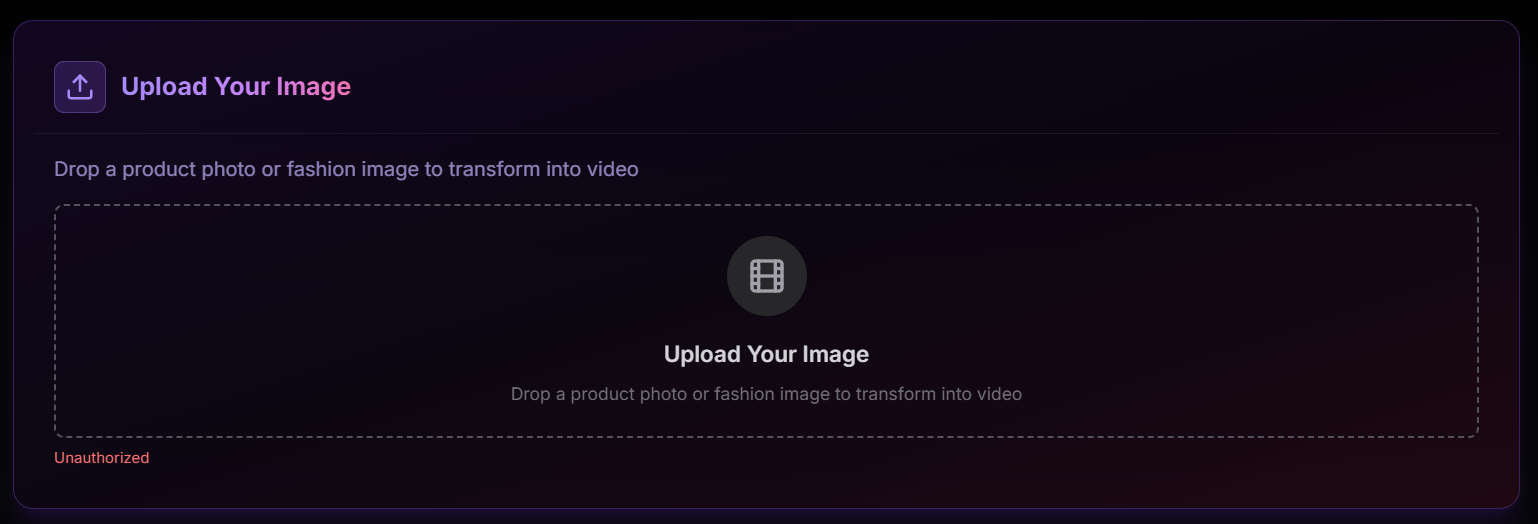
When uploading an image in the Video Studio on the dev and preproduction environments, an "Unauthorized" error is displayed below the upload area. The image upload is blocked entirely.
Screenshots & Video
Description
Two related issues in the Apparel Studio: 1. **Generation failure (preprod & demo):** Clicking "MAKE IT FASHION!" triggers image generation but it fails with the error "Image generation failed for all tasks." 2. **Advanced mode broken (all environments):** The advanced mode option does not work on any environment and shows an error.
Screenshots & Video

Description
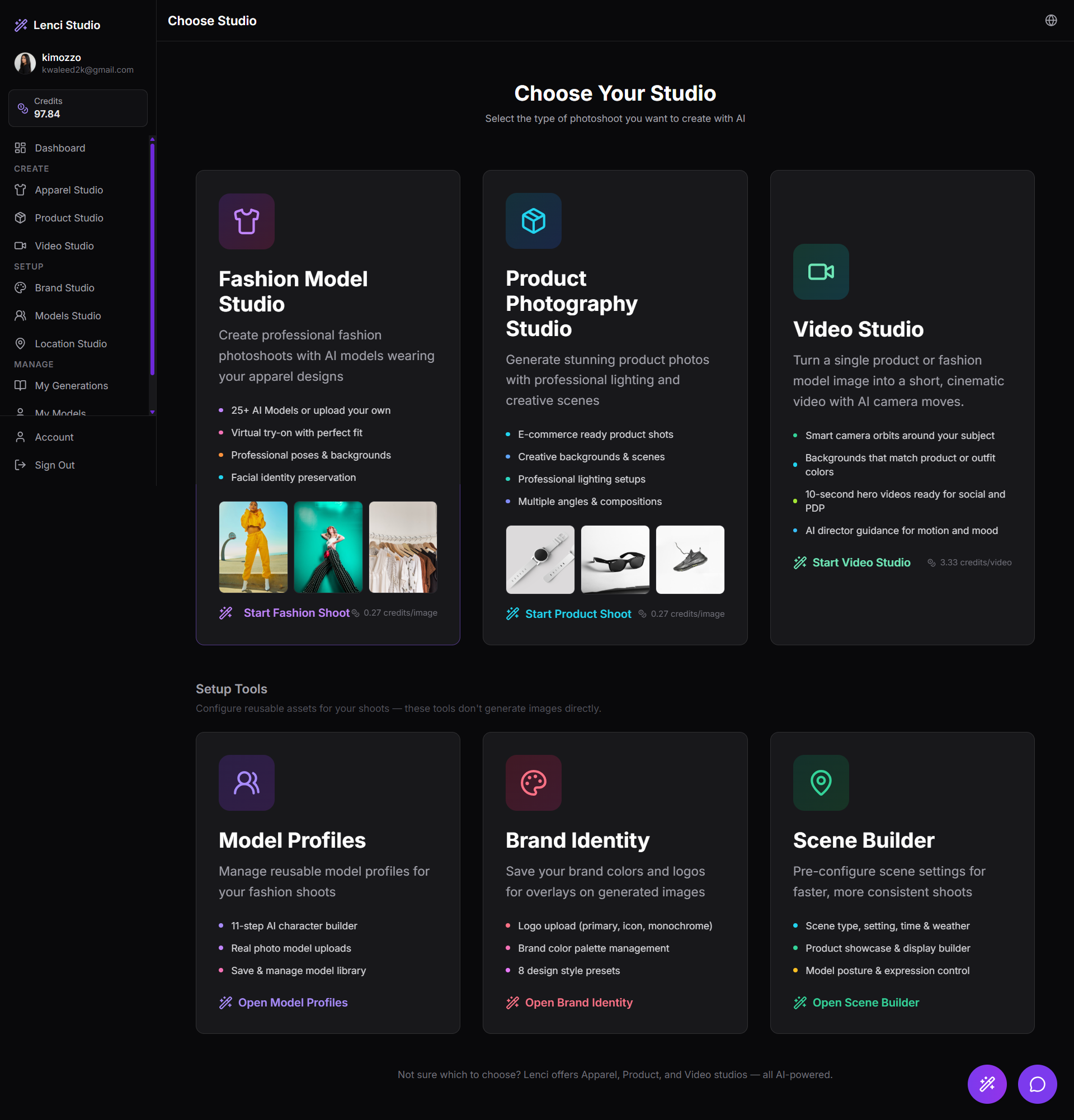
In Choose Studio: 1) Fashion Studio, Product Studio, Video Studio shows pricing 2) Model Profiles, Brand Identity, Scene Builder doesnt show any pricing This issue is in all 3 websites Dev Lenci.Studio Preprod
Screenshots & Video
Description
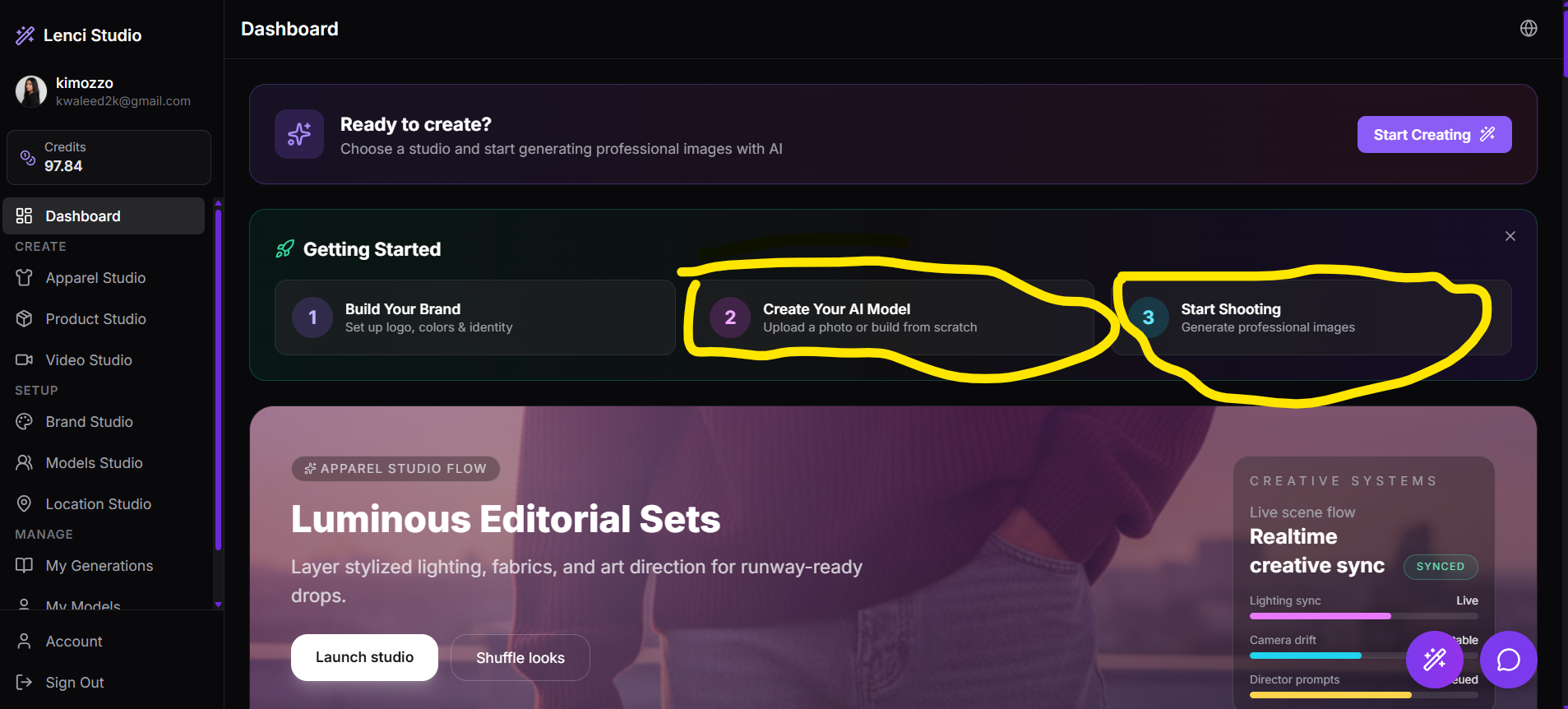
The two buttons inside Getting Started 1) Create your Ai Model opens Apparel studio it should open the Models Studio 2) Start shooting Should be more specific to choose one studio for it This issue is in all websites Dev Lenci.siyadatech which is demo preprod
Screenshots & Video
Description
The output of the web scrapping is not good at all, it needs alot of enhancements as its 1) Not creative all pictures have the same original picture white background 2) No elemnts added related to the products 3) Its changing the product itself not the same product in results Please use this prompt for the 4 unique generations to be sent to the ai with the 4 original images Prompt: ou are an AI Art Director specializing in product photography. Analyze this product image and generate 4 unique, magical concepts that transform products into stunning professional photography. For each concept, provide: 1. A creative title (max 5 words) 2. A description of the transformation (2-3 sentences) 3. A detailed prompt for image generation that maintains the product's colors and identity but elevates it to professional, magical quality The concepts should: - Maintain the product's core colors and vibe - Add professional lighting, composition, and styling - Create a "wow" factor that makes people want to buy - Be distinct from each other - Work for e-commerce and marketing Return your response as a JSON object with a "concepts" array containing exactly 4 concepts. Each concept should have: title, description, and prompt fields.
Screenshots & Video